


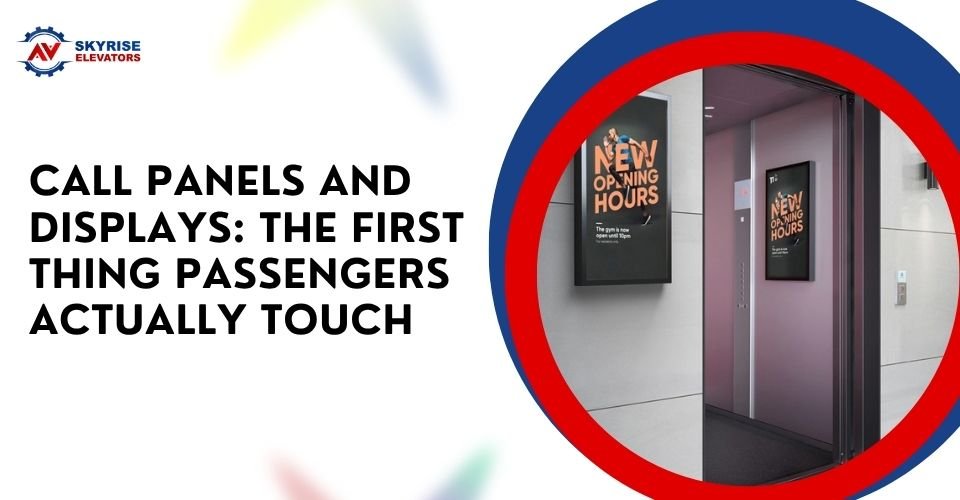
Call Panels and Displays: The First Thing Passengers Actually Touch
When people think about lift modernisation, they often picture a new cabin, brighter lighting or a smoother ride.
But one of the most important parts of the passenger experience is much smaller: the call panel.
It is usually the first thing passengers physically interact with before entering the lift. They press a button, look for a confirmation light, identify the allocated lift and, in some buildings, follow information on a digital display.
That makes call panels and displays more than cosmetic features. Their placement, visibility, usability and accessibility can affect how confidently people use a lift.
For building owners considering Lift Modernisation Services Sydney, upgrading these passenger-facing components can be an important part of a broader modernisation project.
What Is a Lift Call Panel?
A lift call panel is the control interface passengers use at a landing to request a lift.
In a conventional system, this may involve separate up and down buttons. More advanced destination-control systems may use a keypad or touchscreen to allow passengers to enter their destination before being assigned a lift.
The panel needs to communicate information quickly.
Passengers should be able to understand:
- Where to press
- Whether the call has registered
- Which lift has been allocated
- Where the lift is located
- When the lift has arrived
For a busy commercial building, a confusing interface can make an otherwise reliable lift feel less efficient.
Why the First Touch Matters
Passengers interact with the call panel before they experience the lift itself.
If the buttons are difficult to see, positioned awkwardly or provide unclear feedback, the first impression is already poor.
Good interface design can make the process feel straightforward.
The experience should answer basic questions without requiring passengers to think about the system:
Have I pressed the right button?
Did the lift receive my request?
Which car should I take?
Has it arrived yet?
This is especially important in buildings where visitors may be unfamiliar with the lift layout.
Accessibility Is Part of the Design
A modern call panel should not be designed only for people who can easily see and reach standard controls.
Australian accessibility requirements address the design and positioning of lift controls. AS 1735.12:2020 includes requirements covering control devices, visual information, accessibility features and touch-screen destination-control systems.
Sydney accessibility guidance also highlights the importance of button location, tactile information, contrast and lighting for people with disabilities.
This means accessibility should be considered during modernisation rather than added as an afterthought.
Button Placement Can Affect Usability
A call button may look perfectly positioned from an architectural perspective while still being difficult for some passengers to reach.
For example, wheelchair users need enough clear space to approach and operate controls.
Sydney accessibility guidance notes that the location of lift call buttons is important for people using wheelchairs and people who are blind or vision impaired.
Current Australian requirements also address the positioning of controls and their relationship to surrounding walls and obstructions.
During a modernisation project, the panel should therefore be assessed as part of the complete landing layout.
Tactile Information Helps Passengers Navigate
Not everyone interacts with a lift using vision alone.
Tactile information can help passengers identify controls by touch. Visual contrast and appropriate lighting can also make controls easier to identify.
AS 1735.12:2020 includes requirements for accessible control devices and visual and audible information.
For building owners, this is an important reminder that a modern-looking panel is not automatically an accessible panel.
A sleek touchscreen may look impressive but still need careful consideration of contrast, button size, symbols and alternative information.
Displays Should Confirm What Is Happening
Digital displays can make lift operation easier to understand.
A passenger may need to know which car has been assigned, where it is located or which floor has been selected.
AS 1735.12:2020 includes requirements for visible lift assignment information and associated audible announcements.
In larger buildings, this information can be particularly useful.
Imagine entering a lobby with six lifts.
A simple display showing Lift C is useful.
A system that provides clear visual information alongside an audible announcement can make the same process easier for a wider range of passengers.
Touchscreens Need More Thought Than Buttons
Touchscreens can create a clean, modern interface, especially in destination-control systems.
But a touchscreen is not automatically more accessible or easier to use.
AS 1735.12:2020 includes specific provisions for touchscreen destination-control devices, including requirements relating to luminance, contrast, symbol size, spacing and accessibility functions.
This is important because physical buttons provide tactile feedback that a flat screen does not.
When a touchscreen is used, the interface needs to communicate clearly through visual and, where applicable, audible information.
What Makes a Good Call Panel?
A useful call panel should balance appearance with function.
Important considerations include:
Clear controls
Passengers should immediately understand which control performs which function.
Strong visual contrast
Buttons and information should be easy to distinguish from their background.
Appropriate positioning
Controls should be positioned so passengers can reach and use them comfortably.
Tactile information
Appropriate tactile features can assist people who cannot rely entirely on vision.
Clear confirmation
The system should provide obvious feedback when a call has been registered.
Good lighting
Poor lighting can make even well-designed controls difficult to use.
Consistent symbols
Familiar symbols can reduce confusion, particularly for visitors and international passengers.
Call Panels Affect More Than Accessibility
Passenger interfaces can influence how a building feels.
A dated control panel with scratched surfaces, faded labels and unreliable indicator lights can make the entire lift feel old.
A modern panel with clear displays, appropriate lighting and clean finishes can make the same lift feel more current.
This is one reason passenger-facing controls often form part of broader lift refurbishment projects.
Skyrise Elevators notes that lift modernisation can include control panels, cabin interiors, digital displays and improved accessibility features.
Matching the Panel to the Building
Not every building needs the same type of interface.
A small residential building may need a simple and durable call-button arrangement.
A large office tower may benefit from destination control and digital displays.
A hotel may prioritise appearance, visitor usability and clear floor information.
A healthcare or aged-care environment may have additional accessibility and communication considerations.
The right solution depends on the building’s:
- Number of floors
- Passenger volume
- Existing lift system
- Accessibility requirements
- Security system
- Building design
- Budget
- Future modernisation plans
This is why a site assessment is useful before choosing the final interface.
Durability Matters Too
Call panels receive constant physical contact.
In a busy building, hundreds or thousands of people may interact with them over time.
Materials and finishes therefore need to withstand regular use.
Consider:
- Button durability
- Scratch resistance
- Cleaning requirements
- Vandal resistance
- Display reliability
- Replacement-part availability
- Ease of maintenance
A beautiful panel that becomes difficult to maintain is not necessarily a good long-term investment.
The interface should look appropriate while remaining practical for the building’s daily operating conditions.
Displays Can Improve Passenger Flow
In larger buildings, digital information can do more than tell passengers that their lift has arrived.
Destination-control systems can organise passengers according to their selected floors, potentially helping manage traffic through the building.
Clear lift assignment information also reduces the need for passengers to repeatedly check several lift doors.
The passenger experience becomes more predictable:
- Enter the lift lobby.
- Select the destination.
- Receive a lift assignment.
- Identify the allocated car.
- Enter when it arrives.
- Follow the destination information inside the car.
The exact system depends on the lift configuration and building requirements.
Modernisation Is More Than a Cosmetic Upgrade
Replacing a call panel should not be treated as simply changing the buttons.
The interface is connected to the lift’s control system, displays, accessibility functions and passenger information.
A broader modernisation assessment can identify outdated controls, safety concerns and components that may need upgrading together.
Skyrise Elevators describes modernisation as a process that can involve control systems, drives, cabin components and safety mechanisms rather than simply refreshing the lift’s appearance.
That broader approach can help building owners avoid creating a new-looking interface around an otherwise outdated system.
Questions to Ask Before Upgrading Call Panels
Before selecting a new passenger interface, building managers can ask:
- Is the existing panel compliant with applicable requirements?
- Can passengers easily reach the controls?
- Is the visual contrast sufficient?
- Are tactile features required?
- Does the display clearly identify the allocated lift?
- Is audible information available where required?
- Would a touchscreen actually improve the passenger experience?
- Can the new panel integrate with the existing controller?
- How durable are the proposed materials?
- Will replacement parts remain available?
- Does the design suit the building?
- Can accessibility improvements be incorporated into the wider modernisation?
These questions help shift the discussion from appearance alone to long-term usability.
Choosing a Lift Company for the Upgrade
Call panels may be small, but they form part of a much larger lift system.
A contractor handling the upgrade should understand how passenger controls interact with the controller, doors, displays, accessibility features and other lift components.
For building owners looking for a reliable Lift Company Sydney, it makes sense to discuss the entire modernisation plan rather than selecting a panel in isolation.
The right provider should be able to assess the existing equipment and explain which upgrades are appropriate for the building.
Final Thoughts
Passengers may not think about lift call panels very often, but they interact with them every time they call a lift.
That small interface needs to be visible, reachable, understandable and appropriate for a wide range of users.
Modern displays, tactile information, clear indicators and accessible controls can make the passenger experience more straightforward while also giving an older lift a more contemporary appearance.
For building owners considering Lift Modernisation Services Sydney, the call panel deserves attention alongside the controller, drive, doors, cabin and safety systems.
With the right planning, the first thing passengers touch can also be one of the clearest signs that a lift has been properly modernised.